Desktop apps
Desktop app · macOS and Windows
Keeper
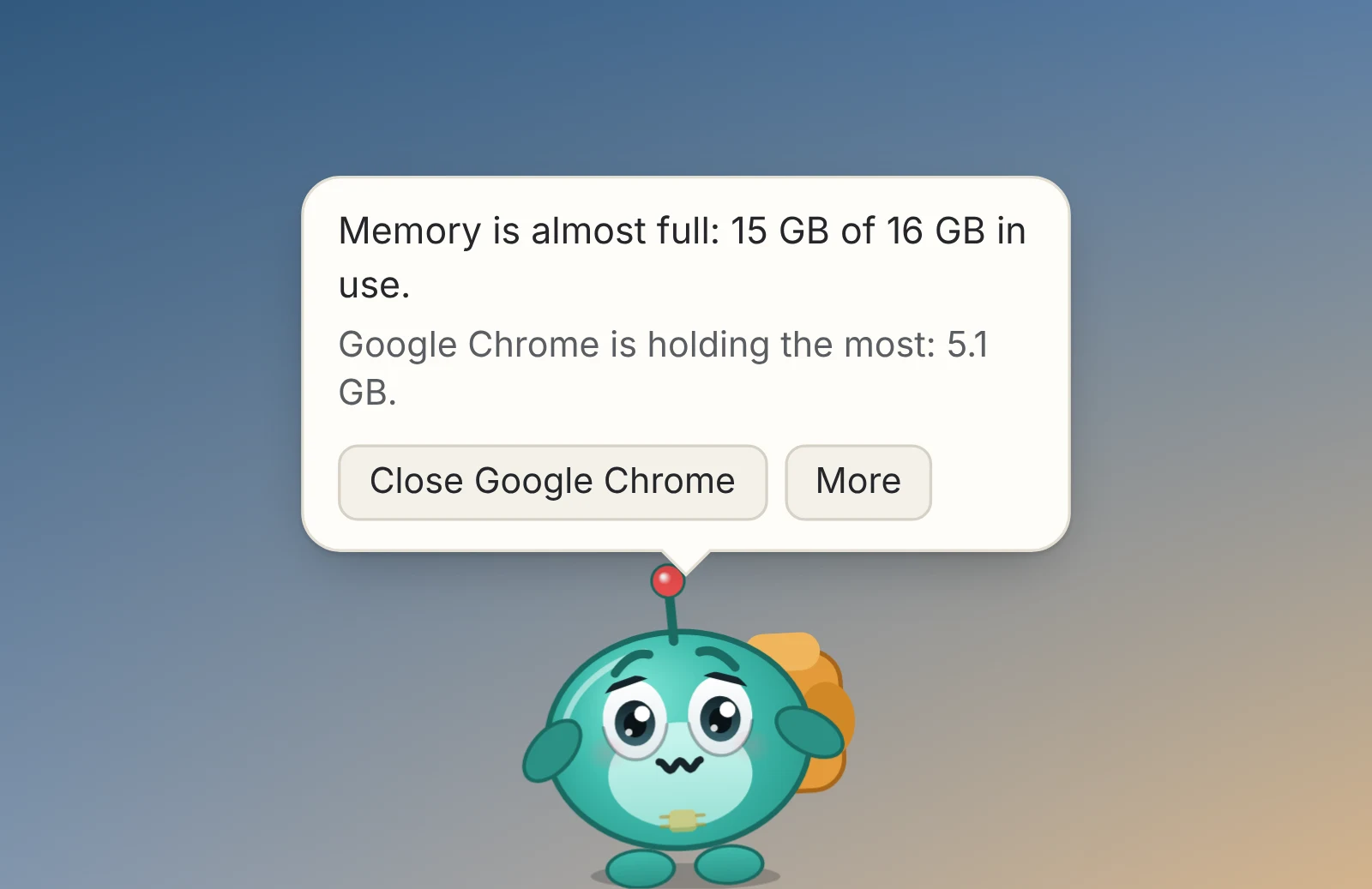
Chip, a desktop pet that keeps an eye on your computer and shows when something's slowing it down.
Coming soonThe first release is on its way.
- macOS: macOS 11 or later · Apple Silicon and Intel
- Windows: Windows 10 or 11 · 64-bit
- Free, no paid version
- No account
- None. Chip reads your computer on your computer; nothing about it, or about you, is sent anywhere.
What it does
- Health you can see at a glance
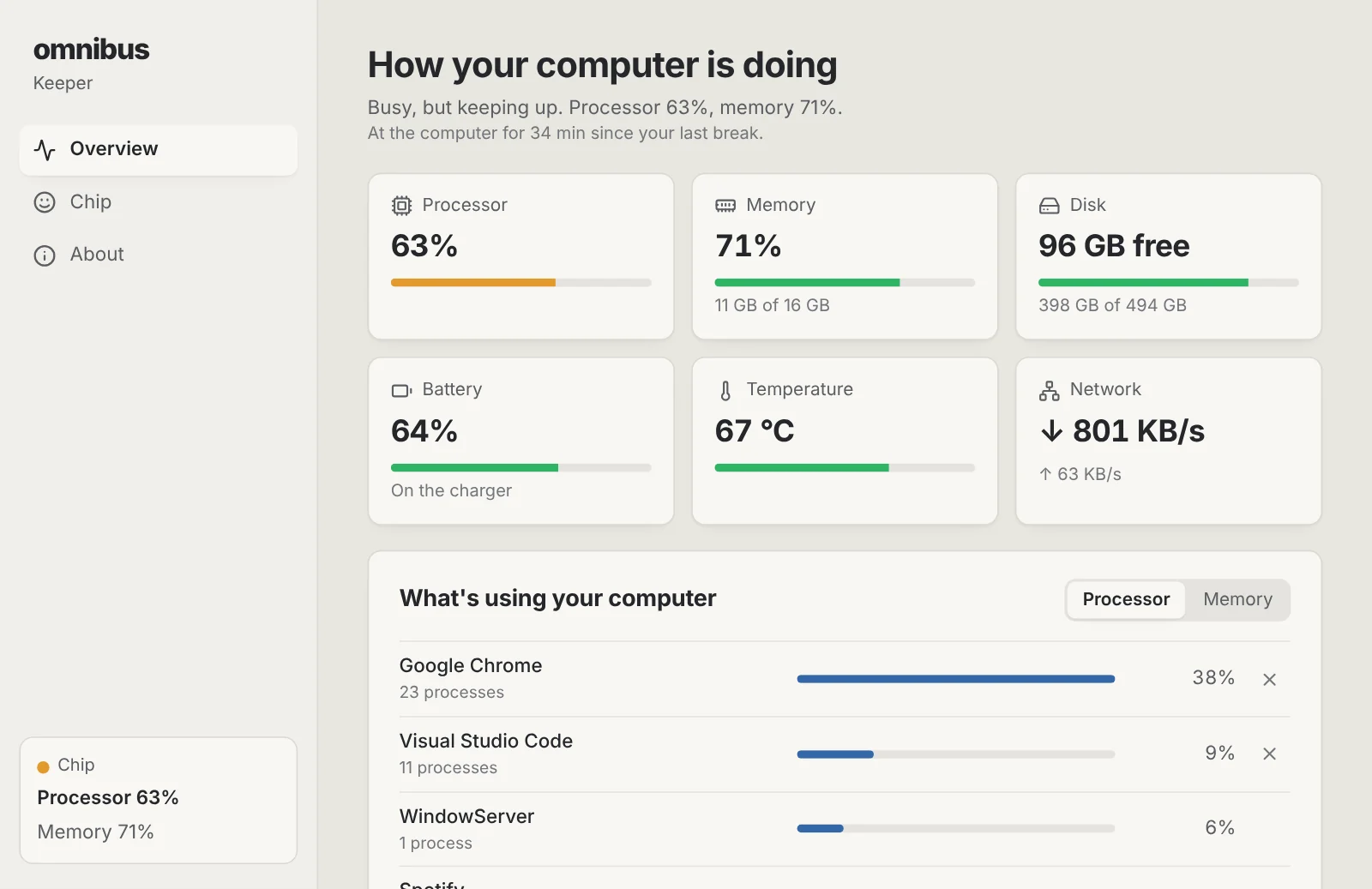
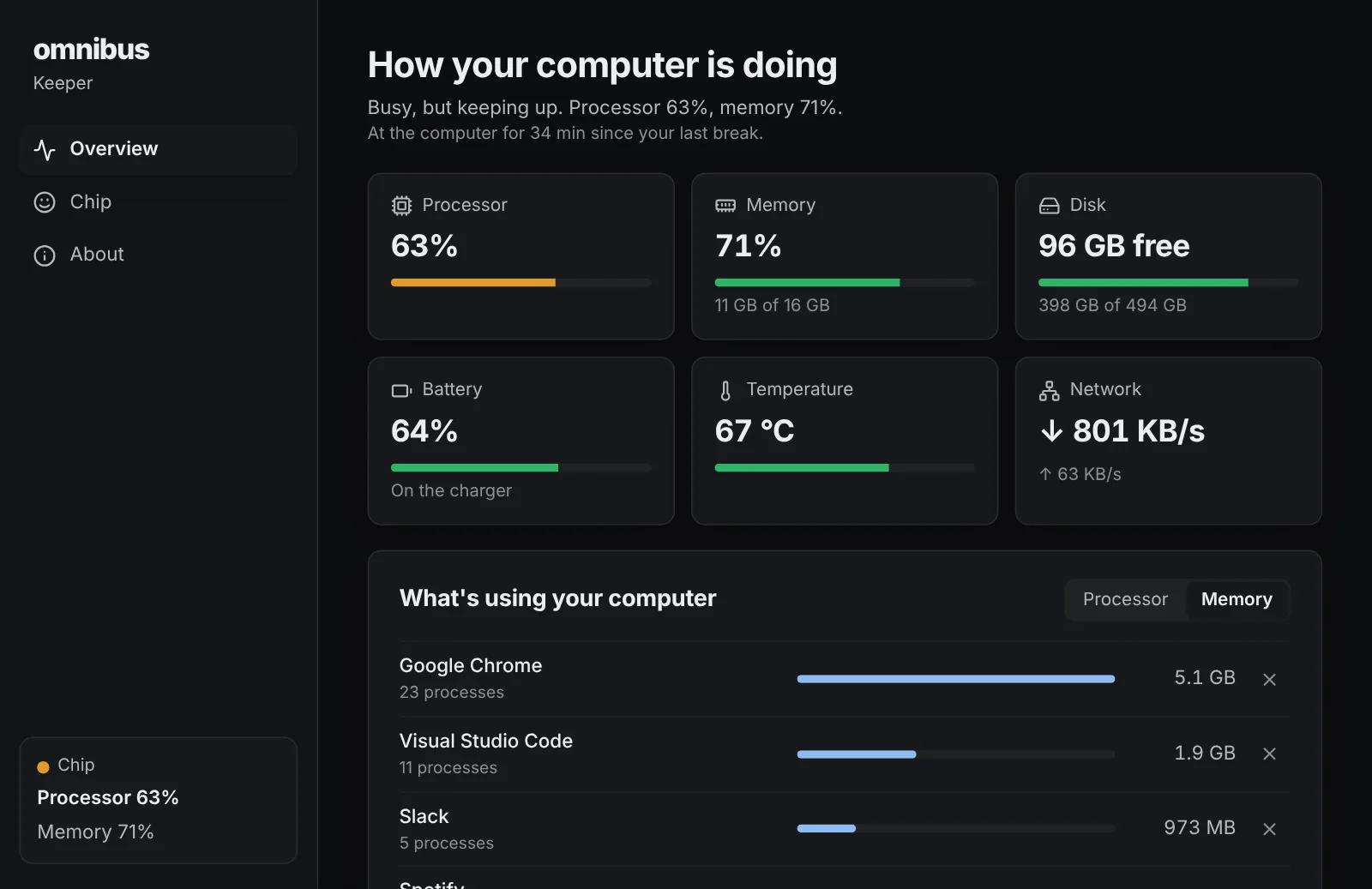
- Chip sweats in a hamster wheel when the processor is flat out, carries a stuffed backpack when memory is full, fans itself when it's hot, gets sleepy on a low battery and stands on a pile of boxes when the disk is full.
- Finds what's slowing you down
- Click Chip and it tells you which app is using the most, like "Google Chrome is holding 5 GB", and can ask that app to close. It always asks you first, and never touches parts of the system.
- A traffic light on its head
- Chip's antenna is green when all is well, amber when something's worth a look and red when your computer needs you.
- Reminds you to take breaks
- After a long stretch at the computer, Chip stretches and asks you to join in. Time away counts as a break, and you choose how often or switch it off.
- Out of your way
- Chip strolls along the bottom of the screen, above the Dock or taskbar, and clicks go straight through to whatever is behind. Drag it anywhere, or hide it from the menu bar or tray.
- Light by design
- Keeper reads your computer every couple of seconds, draws only when Chip moves, and rests when you're away, so the pet that watches your computer doesn't slow it down.
Installing it
macOS
- Open the downloaded .dmg file.
- Drag Keeper into the Applications folder.
- Open Keeper from Applications. macOS says it can't check the app: click Done, then go to System Settings › Privacy & Security, scroll down and click Open Anyway.
Windows
- Run the downloaded -setup.exe file.
- Windows shows a blue “Windows protected your PC” notice because the app is new and not yet signed: click More info, then Run anyway.
- Follow the installer. It installs for your account only, so it doesn't ask for an administrator password.
Keeper questions
- Is it really free?
- Yes. No trial, no subscription, no account and no ads. It is part of omnibus.tools, which keeps every tool free.
- Will it slow my computer down?
- No. It was built to be light: a reading takes well under a millisecond, Chip only redraws while it moves, and Keeper rests when you're away. The list of running apps is only read while you're looking at it.
- Can it close the wrong thing?
- It only closes an app you choose, after you confirm, and it asks the app to quit the way its own Quit button would, so the app can ask you to save first. It never closes parts of the system, other people's programs or itself.
- Does it send anything about my computer?
- No. Everything Chip knows stays on your computer. The only thing Keeper fetches is a small file that says whether there's a newer version.
- Why doesn't Chip show the temperature?
- Some computers don't share temperature readings with apps, including many Windows PCs. Then Chip watches how hard the processor works instead, and the Keeper window says the reading isn't shared.
- Can I hide Chip for a while?
- Yes: choose Hide Chip from the menu bar on a Mac or the system tray on Windows, and Show Chip to bring it back.
More apps
Storage Cleaner: Free up space on your Mac or PC, and see everything before anything goes.Phone Mirror: See your Android phone on your computer and use it with your mouse and keyboard.Focus: See which apps and websites take your time, and keep the distracting ones away.Studio: Look your best in every call app, and record polished screen videos with your camera in a bubble.Beam: Send photos, files and text between your phones, tablets and computers over Wi-Fi, every way.Radio: Endless music made live on your computer: calm focus music, a live band and psytrance, with a visualizer.