Desktop apps
Desktop app · macOS and WindowsVersion 0.1.1
Storage Cleaner
Free up space on your Mac or PC, and see everything before anything goes.
- macOS: macOS 10.15 or later · Apple Silicon and Intel · version 0.1.1 · 5 MB
- Windows: Windows 10 or 11 · 64-bit · version 0.1.1 · 2 MB
- Free, no paid version
- No account
- Scanning and cleaning happen on your computer only. Nothing about you or your files is sent anywhere.
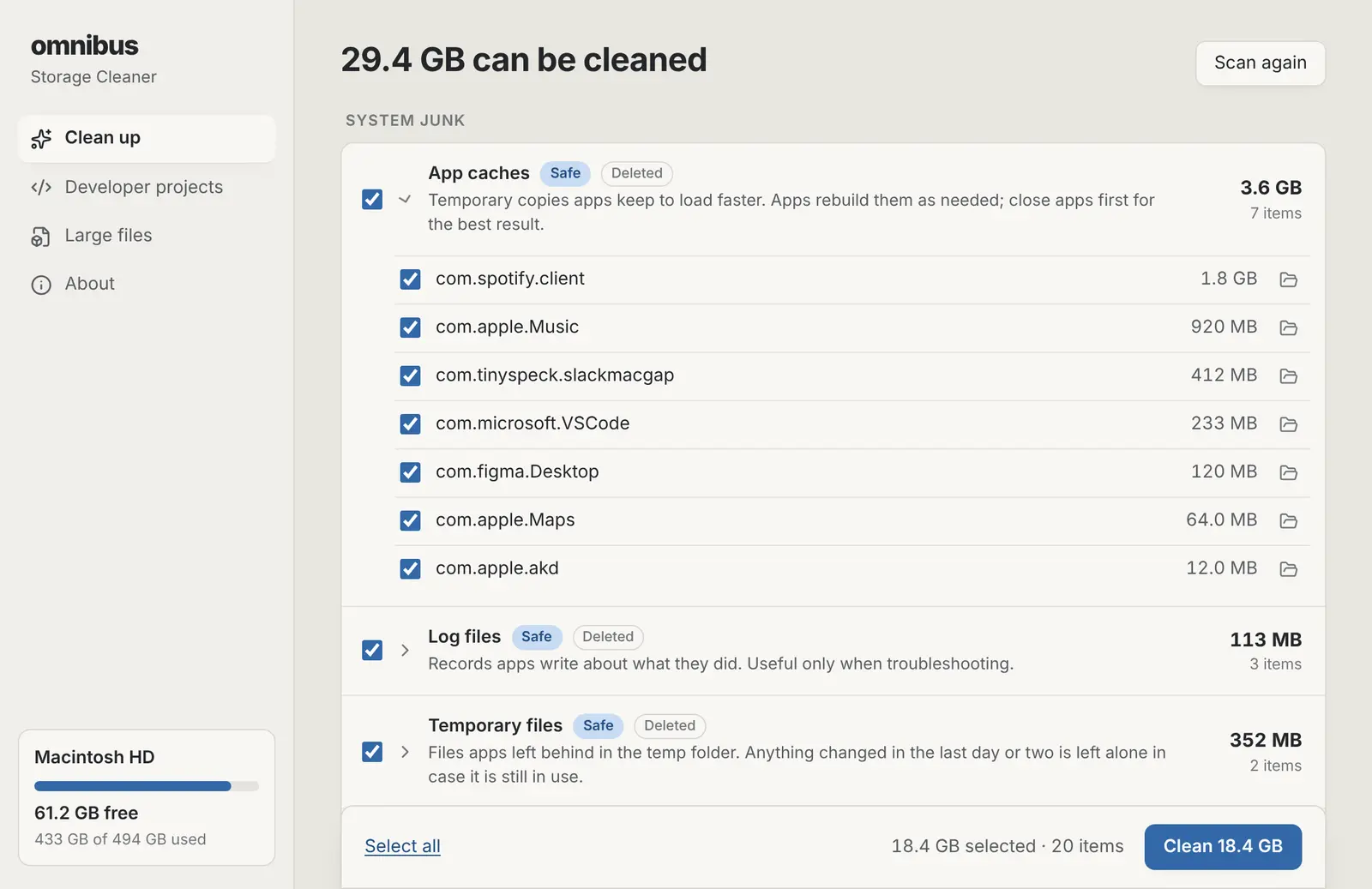
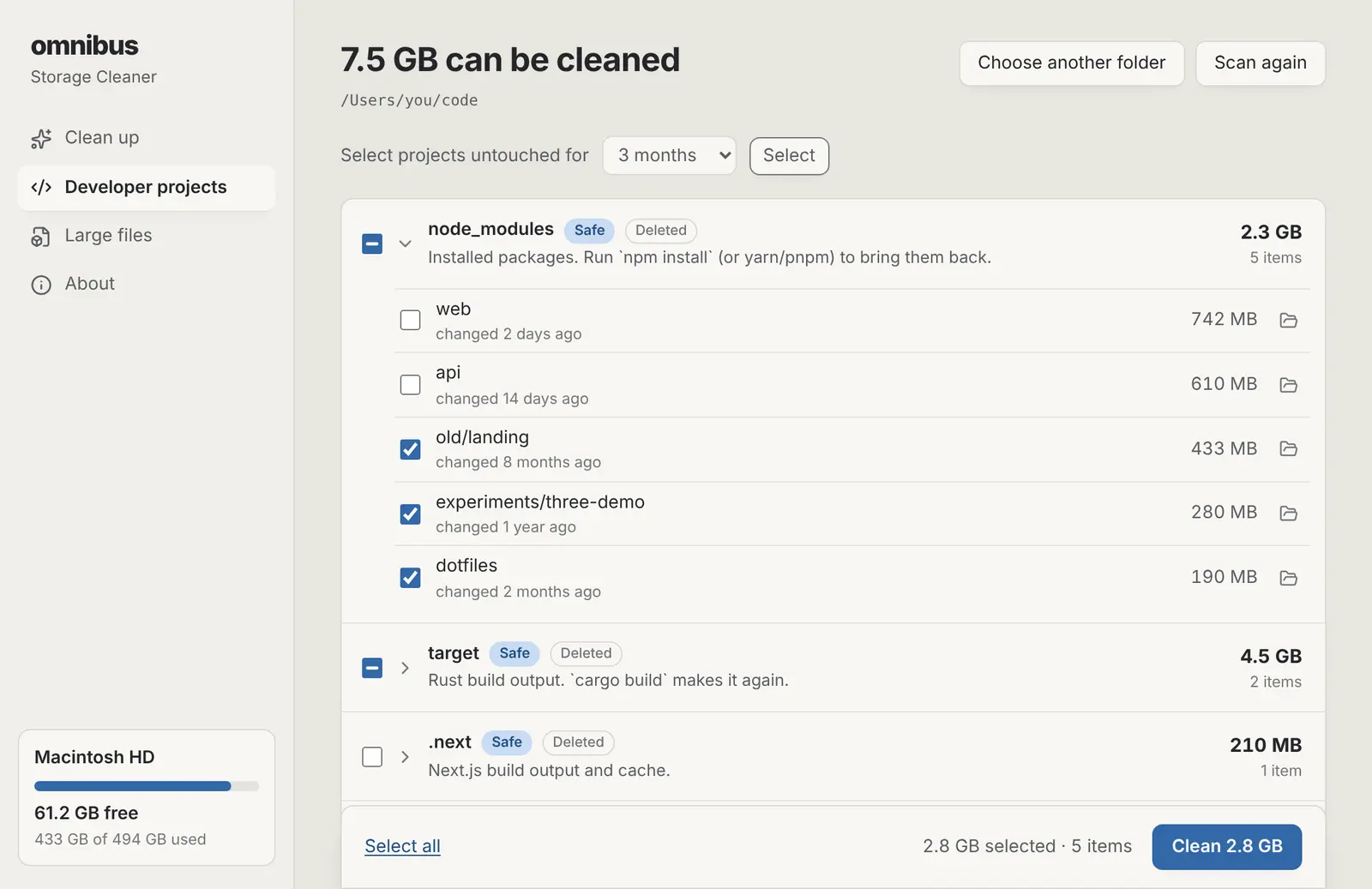
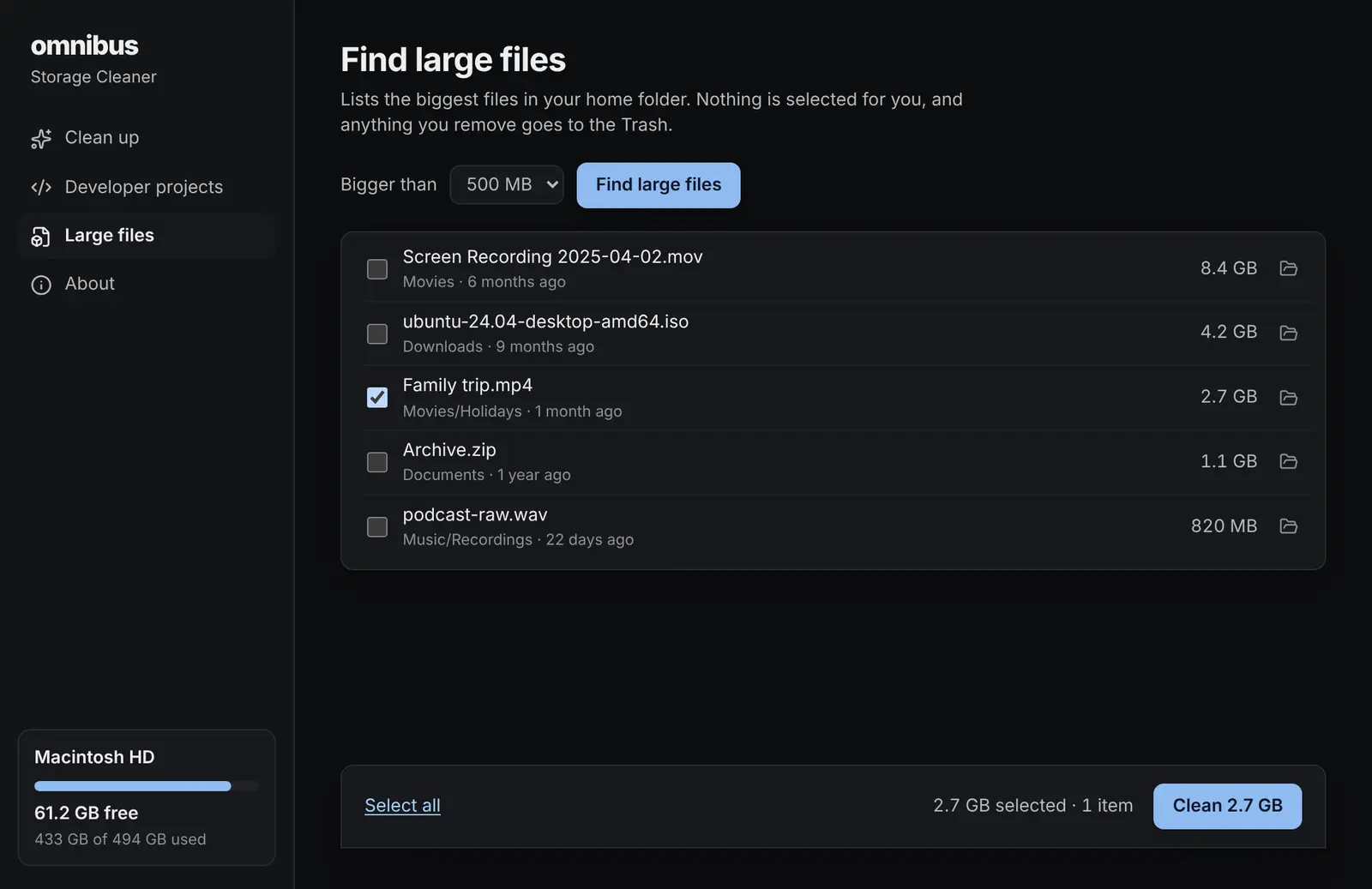
What it does
- One Scan button
- App and browser caches, logs, crash reports, old temporary files, the Trash and installers left in Downloads, grouped and sized.
- Nothing goes without you
- You see every folder and file first. Things that rebuild themselves are ticked for you; anything worth a look is not.
- Your files go to the Trash
- Caches are deleted (moving them to the Trash would free nothing). Installers and large files you pick go to the Trash or Recycle Bin, so you can put them back.
- Built for developers too
- Finds node_modules, target, .next, Pods, .venv and more in your code folder, and selects the projects you haven't touched in months.
- Developer tool caches
- Xcode DerivedData and device support, npm, Yarn, pnpm, pip, Homebrew, Gradle, Cargo, Go, CocoaPods, Maven and NuGet.
- Find large files
- Lists the biggest files in your home folder, skipping app data and cloud files that aren't downloaded.
Installing it
macOS
- Open the downloaded .dmg file.
- Drag Storage Cleaner into the Applications folder.
- Open Storage Cleaner from Applications. macOS says it can't check the app: click Done, then go to System Settings › Privacy & Security, scroll down and click Open Anyway.
Windows
- Run the downloaded -setup.exe file.
- Windows shows a blue “Windows protected your PC” notice because the app is new and not yet signed: click More info, then Run anyway.
- Follow the installer. It installs for your account only, so it doesn't ask for an administrator password.
Storage Cleaner questions
- Is it really free?
- Yes. No trial, no paid version and no account. It is part of omnibus.tools, which keeps every tool free.
- Can it delete something important?
- It only offers folders it knows are caches, logs or build output, plus files you pick yourself. It never removes system folders or your Documents, Desktop or Pictures folders, and it checks everything again right before removing it: anything that changed since the scan is left alone.
- Why are caches deleted and not moved to the Trash?
- A file in the Trash still takes up space. Caches are rebuilt by the apps that made them, so moving them to the Trash would free nothing. Your own files, like installers and large files, always go to the Trash or Recycle Bin.
- Does it send my data anywhere?
- No. It reads folder sizes on your computer and shows them to you. Nothing about you or your files is sent anywhere.
- How do I get updates?
- The app tells you when a new version is out. Press Update now and it installs and restarts. Updates are free, and you can also download the newest version from this page at any time.
- Why does macOS ask for access to Downloads or Full Disk Access?
- macOS keeps some folders private until you allow an app to read them. Storage Cleaner asks only to look for old installers and to measure folders like the Trash. You can say no; it simply skips those places.
- Should I close my apps before cleaning?
- It helps. A cache an app is using can't always be removed, and the app may write it again straight away. Anything in use is skipped and listed, never forced.
More apps
Phone Mirror: See your Android phone on your computer and use it with your mouse and keyboard.Focus: See which apps and websites take your time, and keep the distracting ones away.Studio: Look your best in every call app, and record polished screen videos with your camera in a bubble.Beam: Send photos, files and text between your phones, tablets and computers over Wi-Fi, every way.Radio: Endless music made live on your computer: calm focus music, a live band and psytrance, with a visualizer.